Client Group
Add Client Group
The Client Group tab allows you to segment and organize your clients based on their roles (customer, vendor, reseller), business logic, or operational needs. This makes it easier to apply policies, campaigns, or system rules to targeted groups instead of handling each client individually.
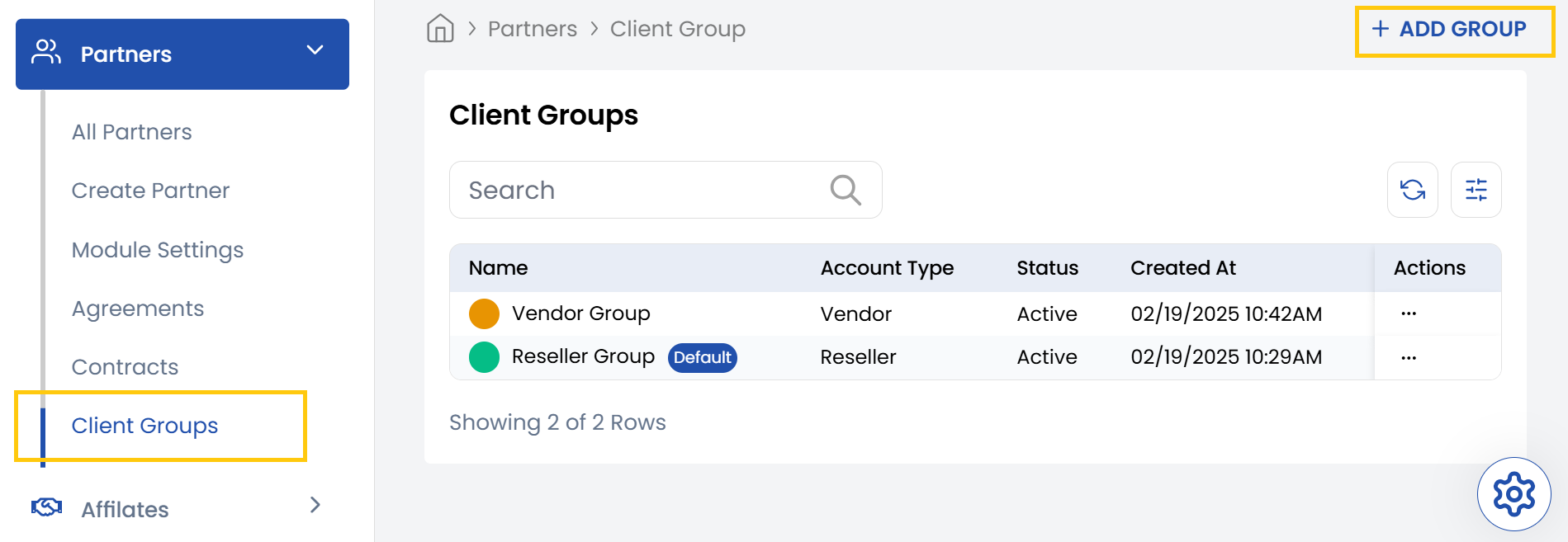
- From the left-hand side menu, select the Partners section. Navigate through the sub-sections and click on Client Groups tab to view the existing client groups.
- To create new client groups, click on Add Group on the right-hand side of the page.
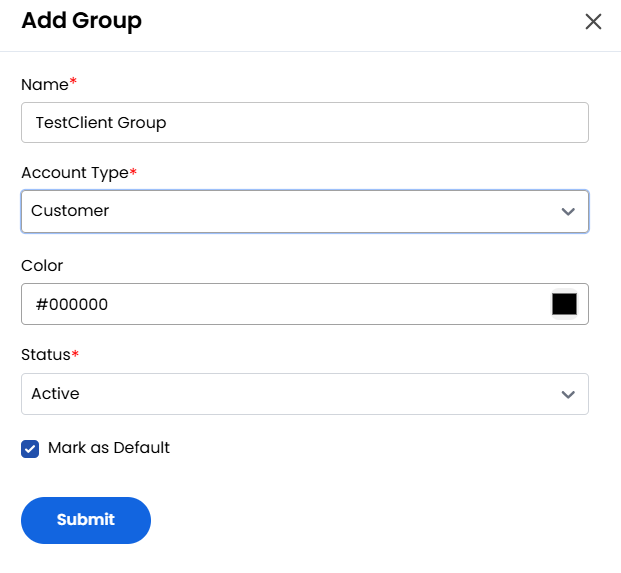
- Give a Name to your client group and choose account type. You choose color for customization and select status as Active or Inactive.
- Alternatively, you can click the checkbox to mark it as default, click on Submit.
.
Conclusion
The Client Group tab streamlines client management by allowing you to categorize clients based on specific criteria such as role, business function, or operational requirements. This grouping enables more efficient policy application, targeted campaigns, and rule enforcement.